

Instructions for applying for a microloan on the MSP.RF portal as an individual entrepreneur.
Visit the portal http://мсп.рф Click the "Log In" button and authenticate using your account on the government services website. After logging in, make sure that in the upper right corner you are logged in as an individual entrepreneur (it should display "IE your last name and initials"). Then go to the "Services" section. After that, go to the "Selection and receipt of microfinancing" section. After entering "Selection and receipt of microfinancing," familiarize yourself with the terms and click the "Get microloan" button. The application consists of 3 stages: 1 Selection of microloan, 2 Filling out the questionnaire, 3 Signing documents. In the 1st stage, you need to choose one of the microfinancing products. For convenience, you can use the filter for selection. In the 2nd stage, you need to fill out a questionnaire consisting of 10 blocks. You must fill it out in order. Some data will be automatically filled in by the system for you. In the 1st block "Microloan parameters," you need to specify the amount, term, deferment, and purposes. In the 2nd block "Borrower information," you need to check the automatically filled data and fill in any empty fields. If the auto-filled data is incorrect and not available for editing, you need to change its values on the government services portal and save it. Later, the updated data should be transferred to мсп.рф. If the data does not update, call: 8 800-100-1-100. In the 3rd block "Guarantor information," you need to fill in the data about the guarantor. Please note that there can be multiple guarantors, and they can be either legal entities or individuals. In the 4th block "Information about the proposed collateral," you need to fill in the data about the collateral and the pledgor. Please note that the pledgor can be the applicant themselves or a third party. In the 5th block "Property information," the applicant needs to provide information about their property (type of property, characteristics of the property, and market value). To add another property, use the "Add property" button. Property can include real estate, land plots, vehicles, and equipment. In the 6th block "Credit history," you can indicate current loans, borrowings, lease agreements, guarantees, and pledges if they exist. Or move the slider to the right "Credit history information is absent." In the 7th block "Information about counterparties," you can provide information about major buyers and suppliers. This block is optional. In the 8th block "Documents," you need to upload the applicant's passport (pages 2-3, 14-17, registration), residence permit in the Russian Federation (for individual entrepreneurs – foreign citizens), as well as accounting and financial documents, namely: Annual tax declaration under the simplified taxation system for the last 2 years (or annual tax declaration 3-NDFL or annual tax declaration under the agricultural taxation system for the last 2 years or a document confirming the right to apply the patent taxation system) (in case there is no official reporting).
In the 3rd stage "Signing documents," you need to install a plugin in your browser if it is not installed. Then provide the plugin access to your electronic digital signature. MSP.RF recommends using the Chromium Gost browser (the plugin is already pre-installed in this browser). You can download the browser at the link https://www.cryptopro.ru/products/chromium-gost Connect the electronic signature carrier of your individual entrepreneur to the computer and sign the documents. Then provide the necessary consents and submit the application. After granting access, you need to click the "Sign with electronic signature" button. If the electronic digital signature is not found, call 8 800-100-1-100.
More news about the event:
Instructions for submitting an application for a microloan on the MSP.RF portal as a legal entity
Visit the portal http://мсп.рф
Click the "Log In" button and authenticate using your account on the government services website. 11:23 08.07.2026 Menzelinsk district - Menzelinsk
Instructions for submitting an application for a microloan on the MSP.RF portal as an individual entrepreneur
Visit the portal http://мсп.рф
Click the "Log In" button and authenticate using your account on the government services website. 11:22 08.07.2026 Menzelinsk district - Menzelinsk
Другие Новости Казани (Казань716)
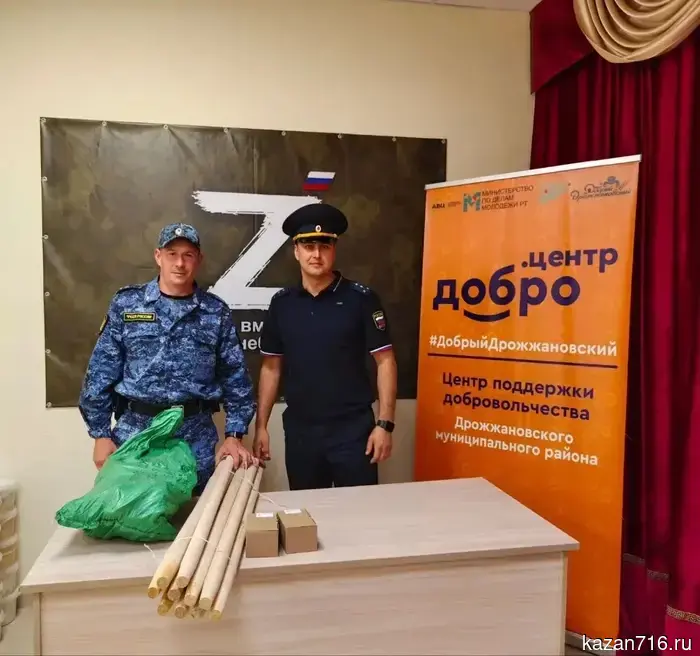 We do not abandon our own: bailiffs of the Drozhzhanovsky district sent humanitarian aid to participants of the Special Military Operation.
Employees of the Drozhzhanovsky District Department of Bailiffs of the Federal Bailiff Service of Russia for the Republic of Tatarstan continue to provide support to Russian servicemen carrying out combat missions in the zone of the special military operation. 08.07.2026. Federal Bailiff Service of the Republic of Tatarstan. Republic of Tatarstan. Kazan.
We do not abandon our own: bailiffs of the Drozhzhanovsky district sent humanitarian aid to participants of the Special Military Operation.
Employees of the Drozhzhanovsky District Department of Bailiffs of the Federal Bailiff Service of Russia for the Republic of Tatarstan continue to provide support to Russian servicemen carrying out combat missions in the zone of the special military operation. 08.07.2026. Federal Bailiff Service of the Republic of Tatarstan. Republic of Tatarstan. Kazan.
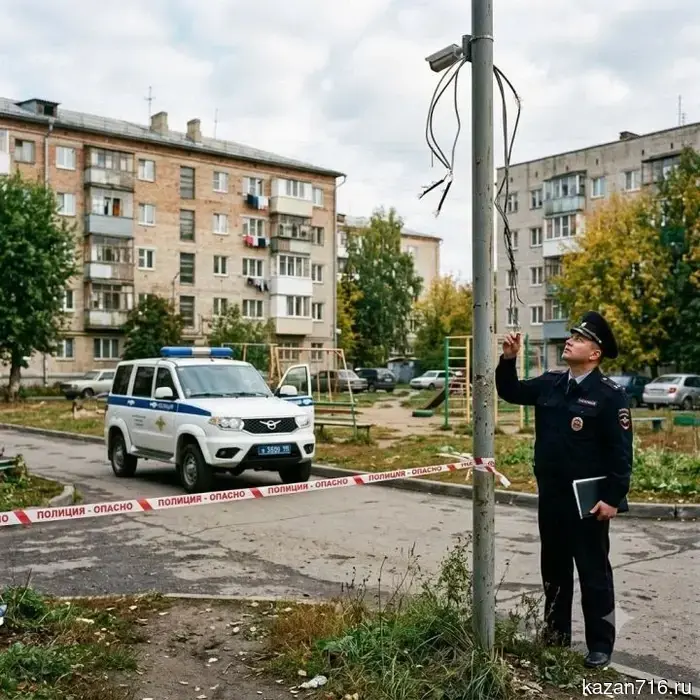 In the Zainsk district, two thefts were registered in a week.
From June 29 to July 5, police officers in the Zainsk district registered two cases of theft. 08.07.2026. News of Zainsk. Republic of Tatarstan. Zainsk.
In Nizhnekamsk, doctors removed a stomach tumor without making incisions and preserved the organ.
In the Nizhnekamsk Central District Multidisciplinary Hospital, endoscopic dissection in the submucosal layer of the stomach wall was performed for the first time. 08.07.2026. IA Tatar-inform. Republic of Tatarstan. Kazan.
An event for veterans of the Special Military Operation and their families was held in the Kukmor district.
The program includes master classes, activities for children, and plenty of communication.
An event for veterans of the special military operation and their family members took place at the Youth Center "Yalkyn" in the village of Bolshoy Kukmor. 08.07.2026. United Russia. Republic of Tatarstan. Kazan.
In the Zainsk district, two thefts were registered in a week.
From June 29 to July 5, police officers in the Zainsk district registered two cases of theft. 08.07.2026. News of Zainsk. Republic of Tatarstan. Zainsk.
In Nizhnekamsk, doctors removed a stomach tumor without making incisions and preserved the organ.
In the Nizhnekamsk Central District Multidisciplinary Hospital, endoscopic dissection in the submucosal layer of the stomach wall was performed for the first time. 08.07.2026. IA Tatar-inform. Republic of Tatarstan. Kazan.
An event for veterans of the Special Military Operation and their families was held in the Kukmor district.
The program includes master classes, activities for children, and plenty of communication.
An event for veterans of the special military operation and their family members took place at the Youth Center "Yalkyn" in the village of Bolshoy Kukmor. 08.07.2026. United Russia. Republic of Tatarstan. Kazan.
 Tragedy on the Volga: a fisherman died in Tatarstan
In Tatarstan, a boat capsized on the Volga: one fisherman died, the other was rescued. 08.07.2026. Tetyushi Zori Newspaper. Republic of Tatarstan. Tetyushi.
Tragedy on the Volga: a fisherman died in Tatarstan
In Tatarstan, a boat capsized on the Volga: one fisherman died, the other was rescued. 08.07.2026. Tetyushi Zori Newspaper. Republic of Tatarstan. Tetyushi.
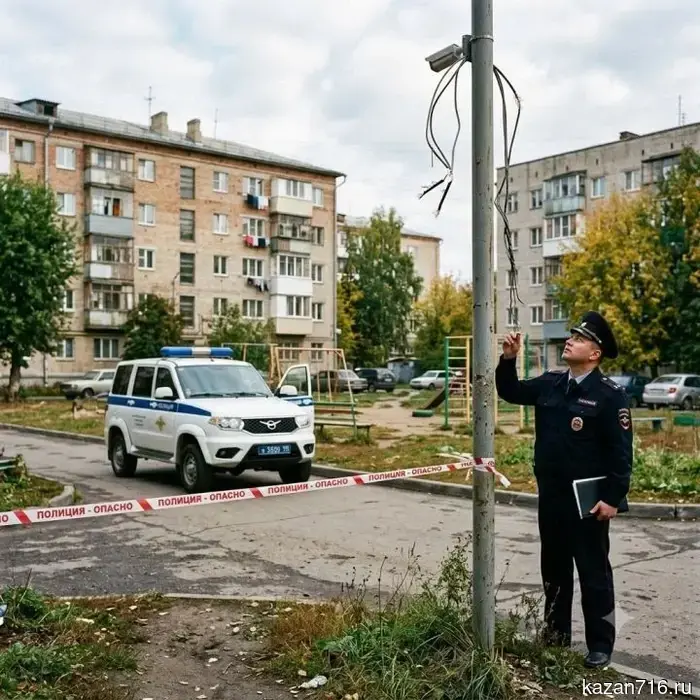 In the Zainsk district, two thefts were registered over the week.
From June 29 to July 5, police officers in the Zainsk district registered two cases of theft. 08.07.2026. News of Zainsk. Republic of Tatarstan. Zainsk.
In the Zainsk district, two thefts were registered over the week.
From June 29 to July 5, police officers in the Zainsk district registered two cases of theft. 08.07.2026. News of Zainsk. Republic of Tatarstan. Zainsk.
Instructions for applying for a microloan on the MSP.RF portal as an individual entrepreneur.
Go to the portal http://мсп.рф Click the "Login" button and authenticate using your account on public services. 08.07.2026. Menzelinsky District. Republic of Tatarstan. Menzelinsk.